

ONIXEDIT Pro for Windows
Professional ONIX metadata editing software
Availability Notice: Not available for billing addresses in British Columbia, Saskatchewan, or Manitoba.

Open, Edit and Import ONIX Files
Increase discoverability of your books and ebooks with ONIX metadata!
ONIX is the global publishing standard for representing and exchanging book product information in electronic form, also known as metadata.
In the past, implementing and maintaining ONIX metadata was complex and expensive. With ONIXEDIT, that challenge is solved.
ONIXEDIT makes it simple to create, edit, and manage ONIX metadata. It ensures compliance with the leading international publishing standards and allows you to validate your data in real time with ONIX 2.1 or ONIX 3—without needing to worry about XML or the technical details of the standard.
ONIXEDIT Pro is Windows-based software that installs directly on your PC. If you use a Mac, or prefer to manage your ONIX metadata online without installing anything locally, you can explore our web-based solution: ONIXEDIT Cloud.

ONIX Metadata Made Easy!
Centralize and manage all your book and ebook metadata in one place.
Every detail you provide about a book is an opportunity to turn discovery into a sale. Metadata includes everything from the title and author photo to awards and reviews—and strong metadata has become the cornerstone of modern book marketing.
ONIXEDIT is, above all, a reliable, high-performance, and user-friendly book database that seamlessly works with ONIX 2.1, ONIX 3.0 and ONIX 3.1 files as data sources.
With ONIXEDIT, you can generate comprehensive bibliographical, commercial, and promotional metadata for your books and ebooks in a structured, standardized format—rather than scattering information across multiple documents. Most importantly, it helps you create valid, enriched ONIX metadata files aligned with publishing industry best practices.
ONIXEDIT Simplified Form
Complete a Simple Form and Get a Valid ONIX Title Instantly!
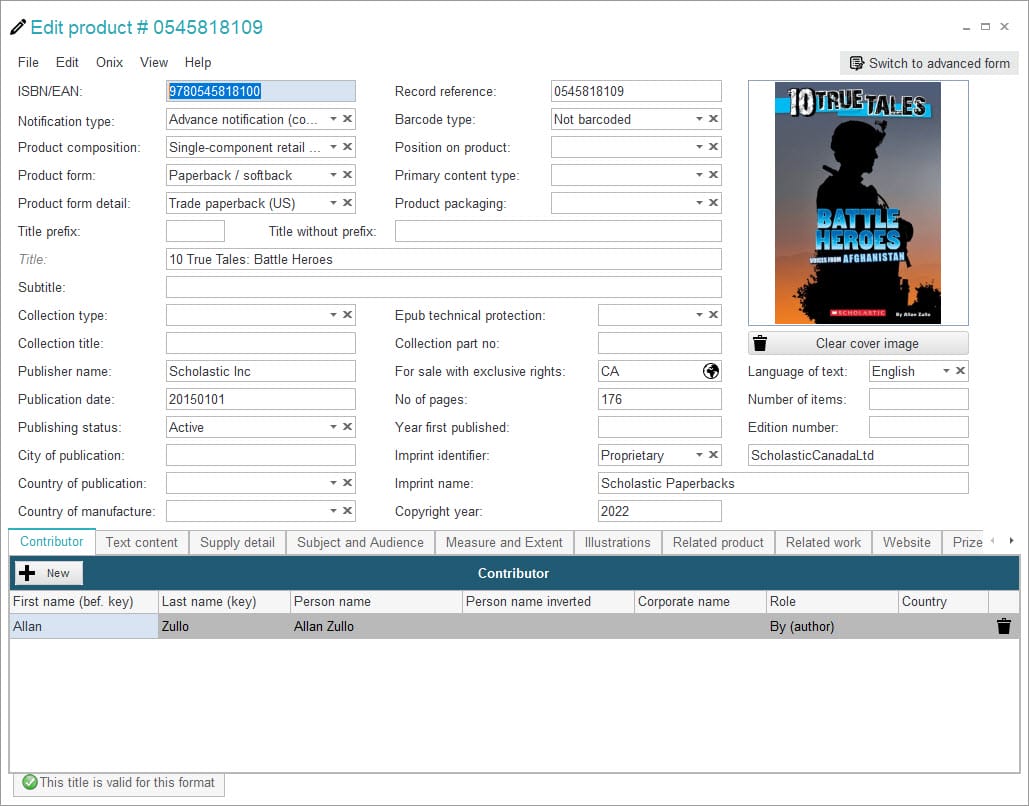
The Simplified Form in ONIXEDIT provides all the essential ONIX metadata required by your trading partners. With this easy-to-use interface, you can create, edit, and update book and ebook metadata in just a few clicks—no need for XML expertise or in-depth knowledge of the ONIX standard.
In addition, ONIXEDIT includes specialized data capture assistants designed to save you time and ensure accuracy:
- Define default values for new titles
- Built-in ISBN converter
- Scrolling menus for ONIX code lists
- Subjects and audience selector
- Contributor management tools
- Integrated rich text editor
- Automated cover image management
- Built-in ONIX validation engine
The Advanced Form
A Professional Interface for Advanced Metadata Needs
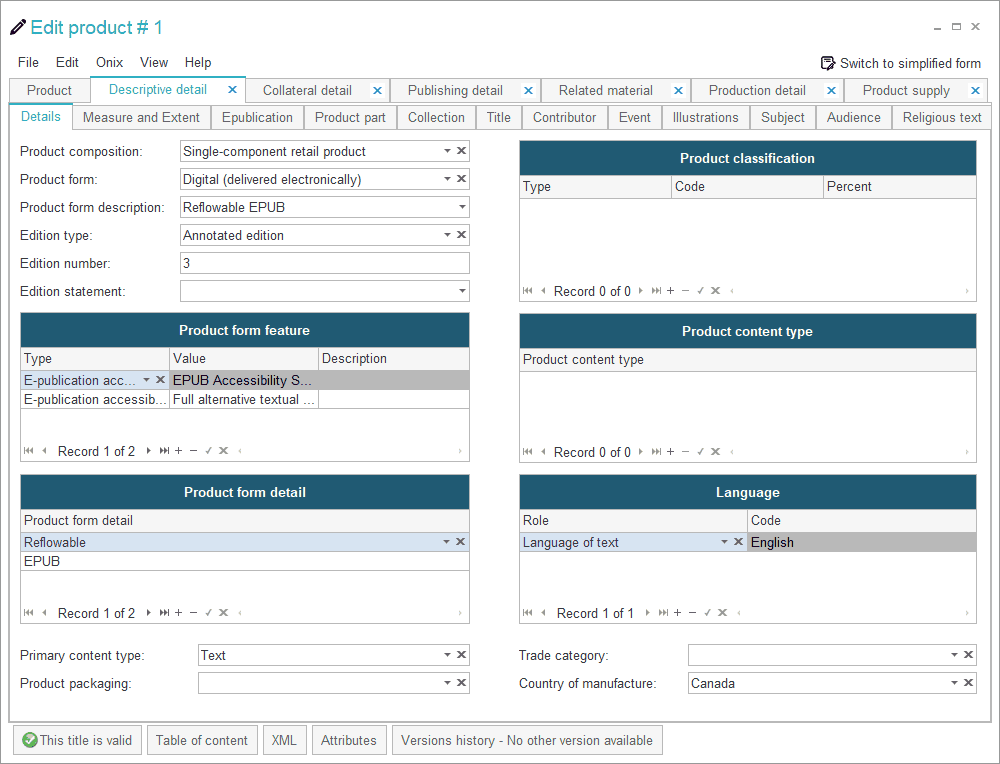
With the Advanced Form included in ONIXEDIT Pro, you can harness the full power of ONIXEDIT with virtually unlimited possibilities. Most ONIX sections are repeatable, allowing you to create an extensive range of enhanced book metadata, including:
- Titles in multiple languages
- All contributor types
- Unlimited product identifiers
- Multiple suppliers and pricing by country, region, or market
- Exclusivity and exclusion rights
- Table of contents, descriptions, quotes, reviews, and author bios
- Subjects, audiences, conferences, prizes, and promotions
- All types of media files (images, video, audio, ebooks)
- Collections and Product Parts
- Religious Text
- Related products, and much more
And best of all, ONIXEDIT makes it effortless to deliver all this metadata to your trading partners.
Click here to get a complete list of all the ONIX tags supported by ONIXEDIT.
Your Private Media Space
Deliver Media Files to Partners or Display Them on Your Website
One of the main challenges in transmitting ONIX files is, without a doubt, sending the media files that should accompany the titles: book excerpts in PDF, author photos, cover images, flaps, video and audio interviews—in short, all the promotional material designed to support sales.
Of course, it is easy to send an ONIX file to a trading partner by email or via FTP. But what about the media files? How can you be sure you are sending everything required? How can you guarantee that images have the right size? That there are no duplicate filenames causing frustrating errors? How can your trading partner make sense of an ONIX file with hundreds of titles mixed together with images, illustrations, and book extracts?
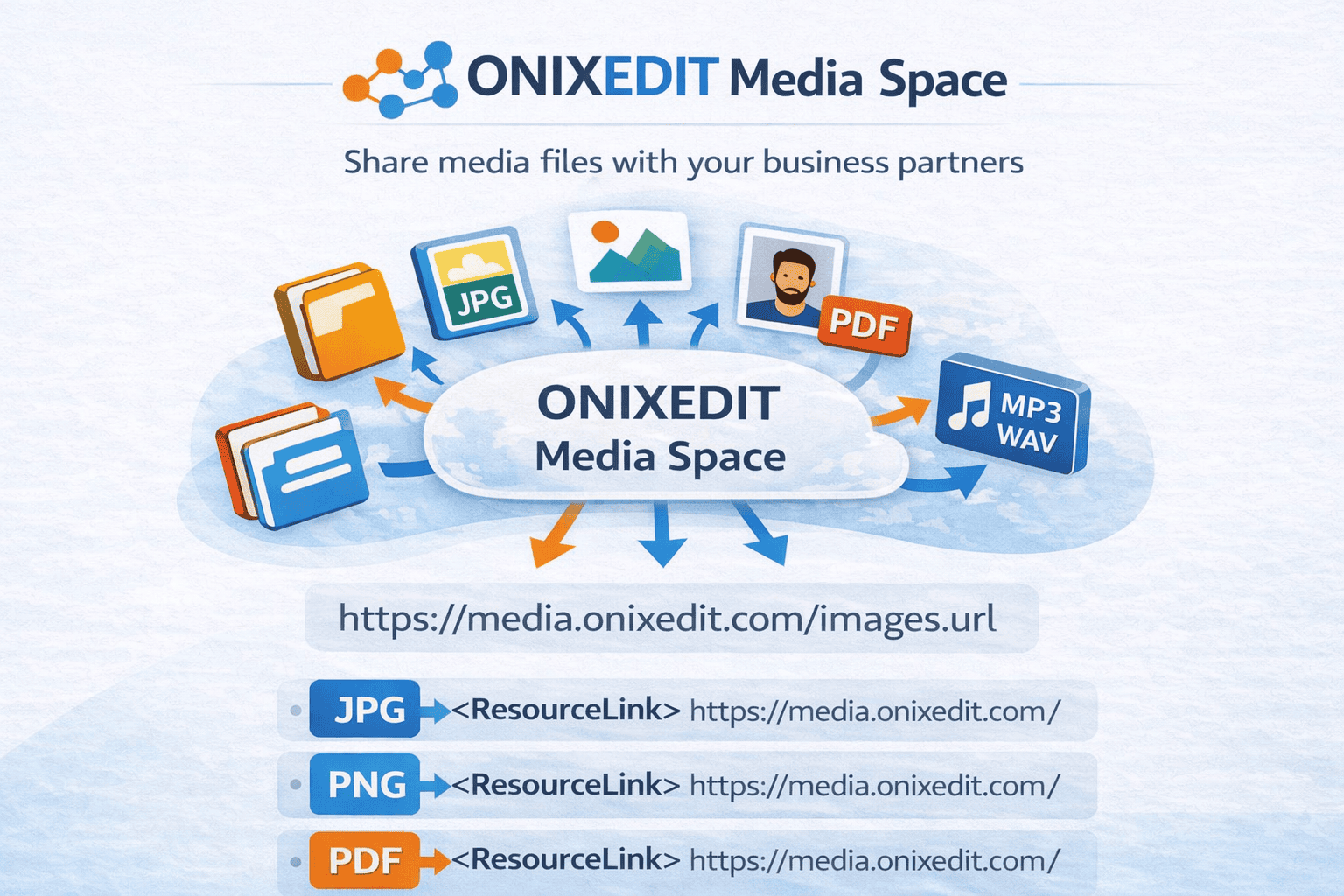
ONIXEDIT provides a simple and effective answer: The Media Space. In your private media space, ONIXEDIT standardizes and organizes all media files linked to your books and ebooks, regardless of their source, making them easily accessible to your trading partners.
No More Errors in Your ONIX Files
ONIXEDIT ensures your files are clean and compliant
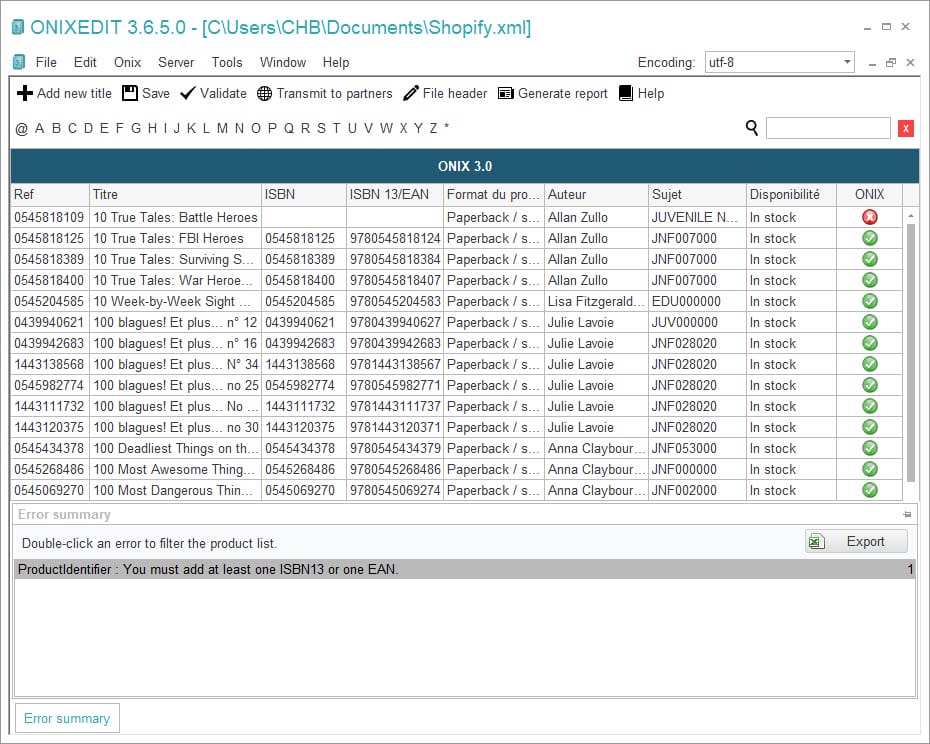
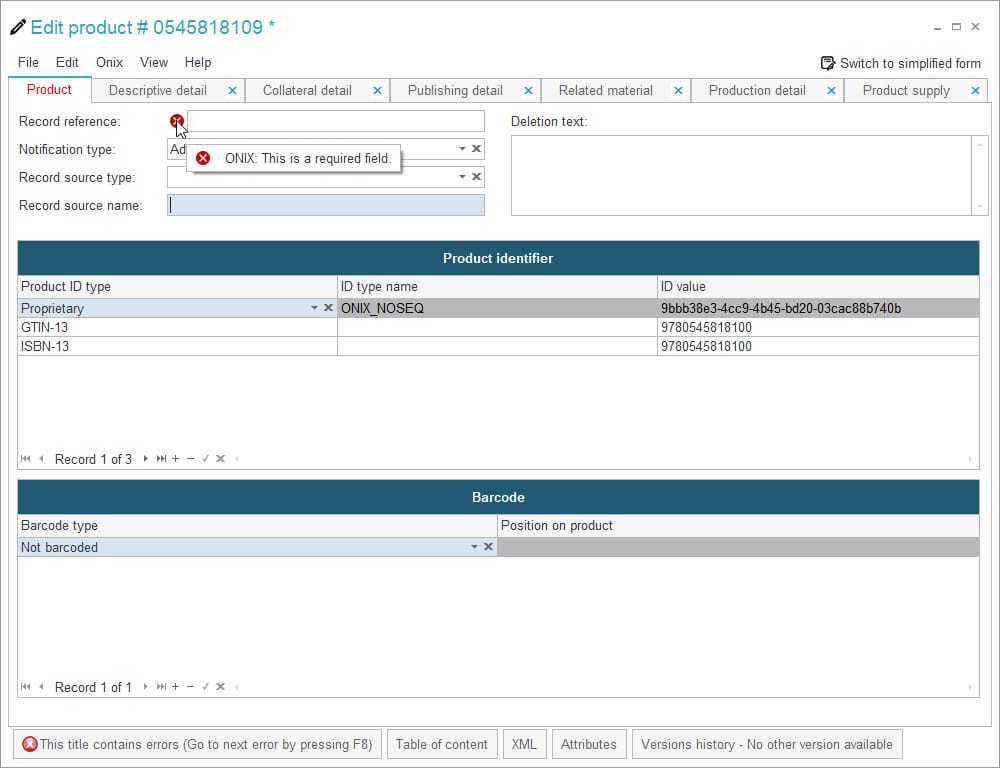
At the core of ONIXEDIT is its advanced ONIX validation engine. With this powerful tool, every ONIX file you produce will be fully compliant with ONIX 2.1 and ONIX 3 standards. The engine is precise enough to detect even the smallest metadata errors.
The ONIXEDIT validation engine immediately identifies problems and provides detailed information about which rules have been violated or which formats are invalid.
A pop-up window at the bottom of the screen summarizes all errors for each title. With a simple double-click, you are taken directly to the exact field where the issue occurs. You can also use the “next error” function to move quickly through issues and correct them efficiently.
Additionally, ONIXEDIT supports specialized validation functions for BNC, BISG, BIC, APA, and BTLF (ONIX 2.1), as well as the latest ONIX 3 Best Practices document from EDItEUR.
Upload ONIX 3 Files Now!
Transmit Your Book Metadata Automatically with ONIXEDIT
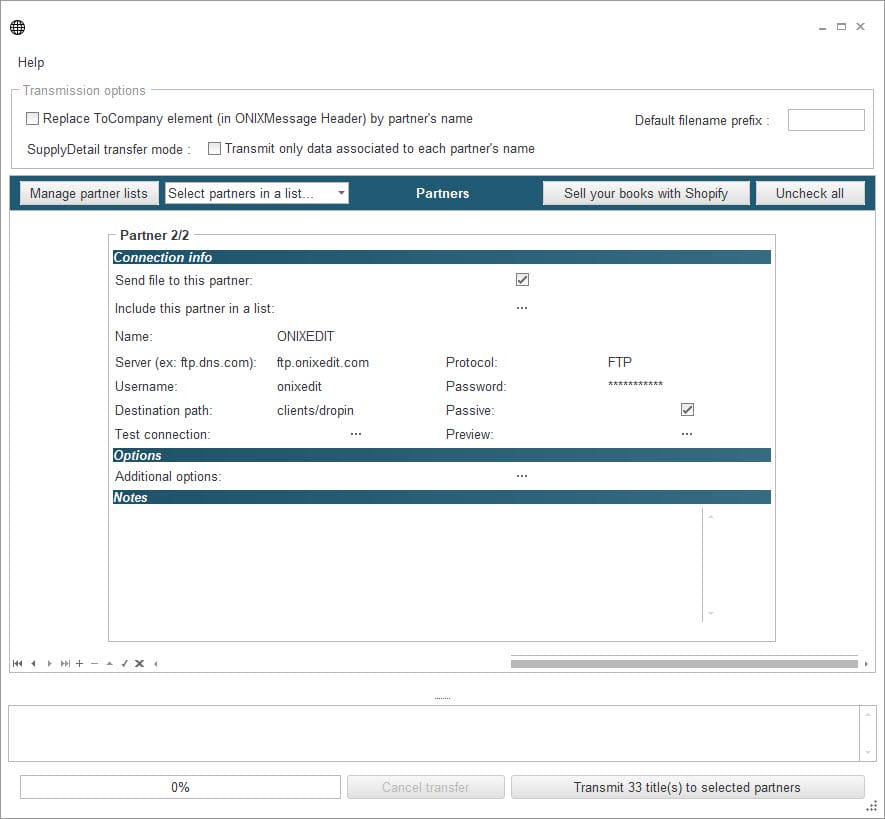
It’s Friday at 5:00 PM—the end of the day. Your new titles must reach your trading partners before 6:00 PM so they can appear online this weekend. No problem: ONIXEDIT handles it for you with its built-in automatic FTP transmission feature.
Simply define in ONIXEDIT the FTP account details each business partner has provided, along with the ONIX format they prefer to receive.
From there, just select your titles and click Send. Everything else is automated, while you remain in full control of who receives which files. Simple and effective!
ONIXEDIT can even transmit your metadata in ONIX 2.1 or ONIX 3, using long or short tags, according to each trading partner’s requirements. In addition, you can export in Excel or CSV, apply dynamic transformations with XSLT scripts, and even generate delta files containing only the changes since the last transmission.
Read From, and Write to, Excel Files
Import and export Excel, fixed-length, CSV, and tab-delimited files
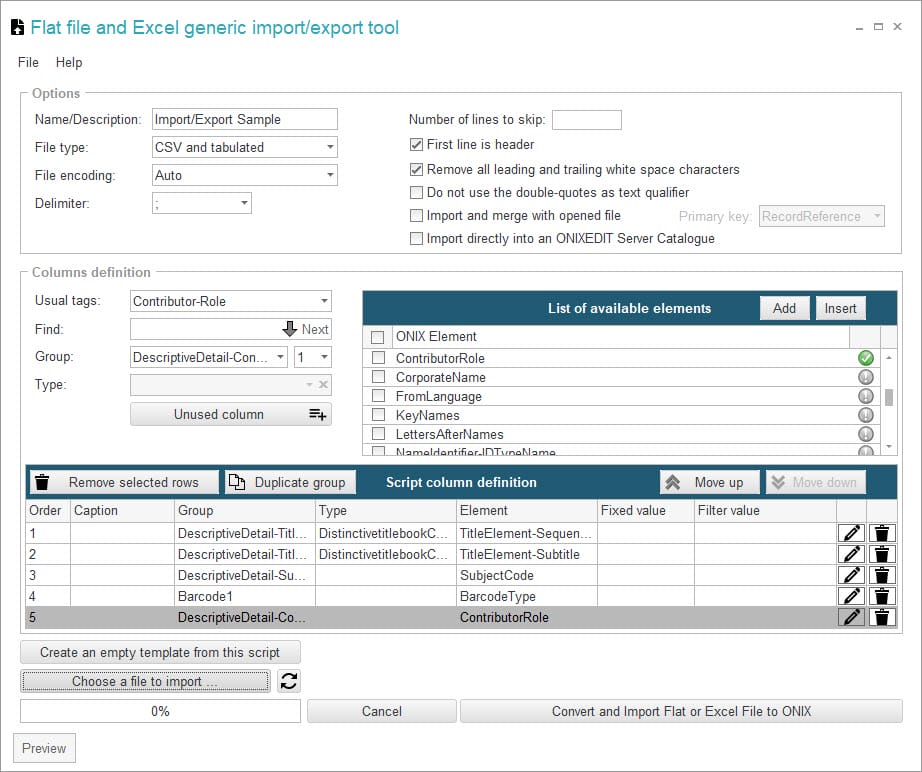
With ONIXEDIT, you can easily import and export data from non-ONIX-compatible systems. This feature gives you flexible ways to manage and share your metadata:
- Convert data from your legacy system into ONIX format
- Import Excel, tab-delimited, CSV, or fixed-length files and convert them into ONIX 2.1 or ONIX 3 files
- Export ONIX files into Excel, tab-delimited, CSV, or fixed-length formats
- Exchange metadata with partners whose systems are not yet ONIX-compatible
To handle these tasks, ONIXEDIT provides a simple and efficient tool that lets you create custom import/export scripts tailored to ONIX requirements while accommodating the realities and constraints of conventional systems. It’s the perfect bridge between your existing database and the ONIX standard.
For even greater efficiency, you can automate your import/export scripts with ONIXEDIT Converter.
Convert ONIX 2.1 to ONIX 3!
Automatically Convert Your Old ONIX Files to the New Standard
Following guidance from national ONIX groups such as <>BISG, BIC, and BNC, EDItEUR announced the sunset of ONIX 2.1 support at the end of 2014. If you are still working with ONIX 2.1 files, now is the time to transition to ONIX 3.
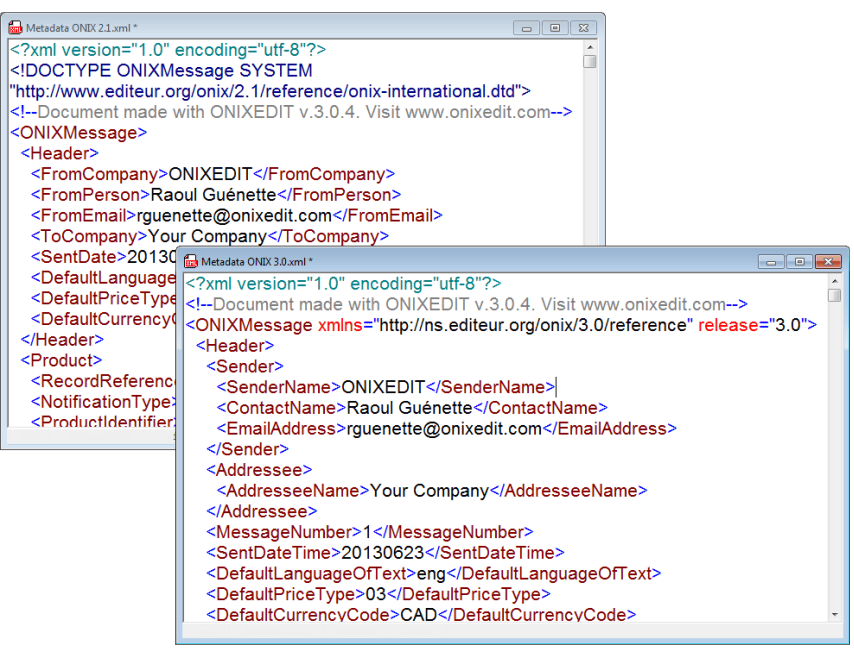
Fortunately, ONIXEDIT includes a powerful built-in translator that automatically converts your ONIX 2.1 files into fully compliant ONIX 3 files. The process is as simple as:
- From ONIXEDIT, launch the Converter from the File menu
- Select your ONIX 2.1 file
- That’s it!
ONIXEDIT makes a copy of your original ONIX 2.1 file and generates a new ONIX 3 version. It’s the easiest way to stay compliant with the latest ONIX metadata standard. Even better, this translator is included in all ONIXEDIT software and services.
Powerful Update Tools!
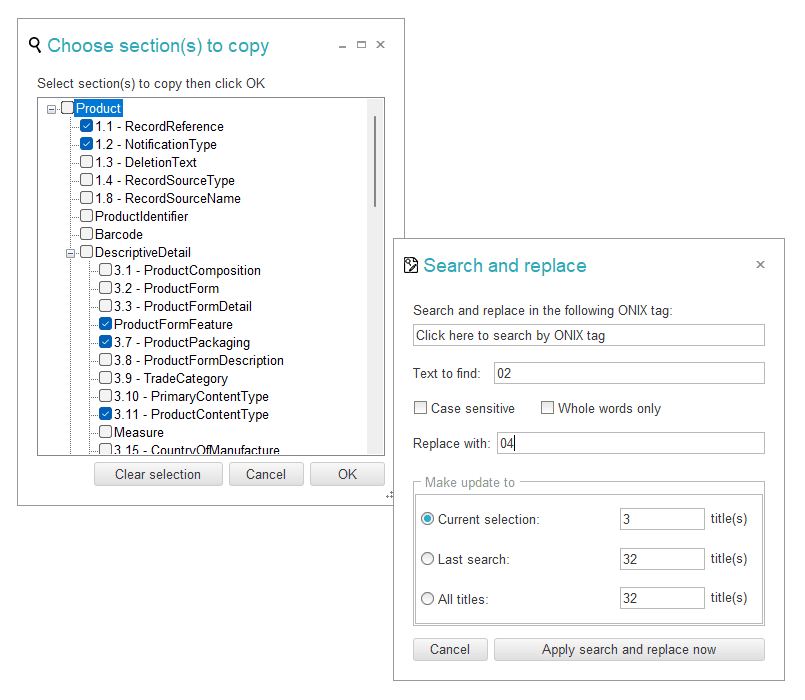
Search and Replace, Merge Sections, and Batch Updates
ONIXEDIT helps you work faster and more efficiently with its powerful Update Tools:
- Search for a value in a specific ONIX tag and replace it across all your titles or a selected group
- Copy an entire ONIX section from one title and merge its content into multiple existing titles in your ONIX file
- Use the Flat File Import tool to perform batch updates from external CSV, tab-delimited, or Excel files
With these tools, you can make large-scale modifications to Subjects, Audiences, Prices, and any other ONIX metadata—saving hours of manual editing and ensuring your catalog stays up to date.
Create stunning reports from ONIX files!
Produce professional price lists and promotional catalogs with ease.
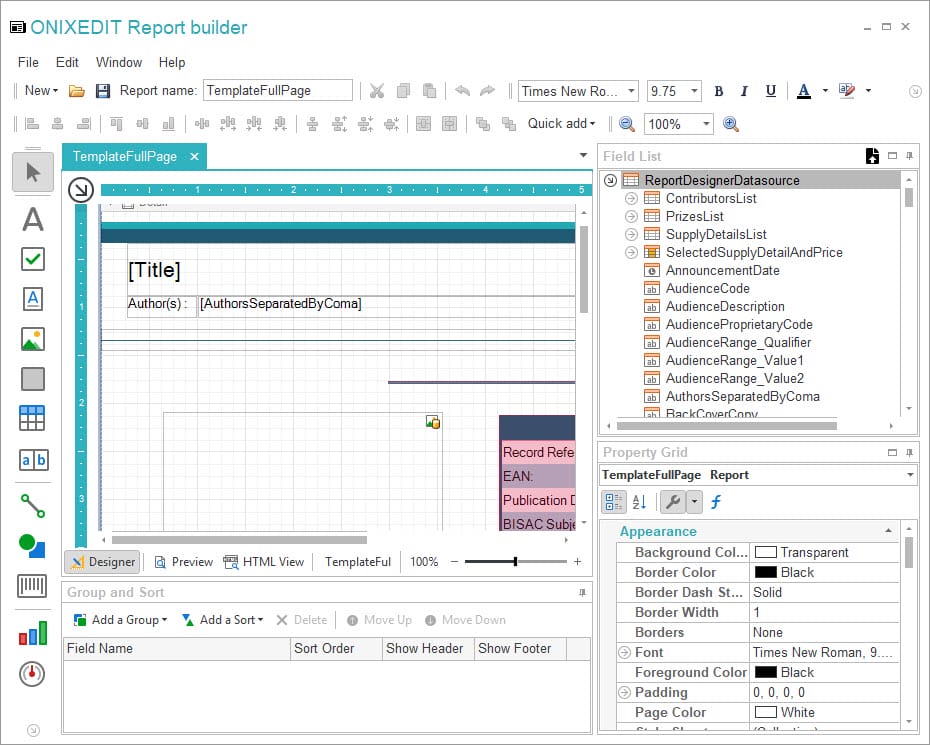
Strong ONIX metadata already improves the discoverability of your books and ebooks. Now, with ONIXEDIT’s powerful Report Builder, you can also transform that metadata into price lists and catalogs.
You can design any type of report—whether column-based or detailed—by placing ONIX fields, text, and images directly on the Report Builder canvas. Start from a blank report or use one of the built-in templates, then save your design and apply it to any ONIX 2.1 or ONIX 3 file.
Reports can be saved and exported as Excel, PDF, or HTML files, making them easy to share and distribute.
More than ever, ONIXEDIT is the essential tool for publishers who want to maximize the value of their metadata.

Desktop Application
Work offline with full functionality. No internet connection required for editing and validating your ONIX files.
Excel Integration
Import and export data from Excel spreadsheets. Perfect for publishers who manage metadata in spreadsheets.
Advanced Validation
Comprehensive validation engine ensures your ONIX files meet industry standards and distributor requirements.
Bulk Operations
Edit multiple records simultaneously. Apply changes across your entire catalog with powerful bulk editing tools.
Format Conversion
Convert between ONIX 2.1 and 3 formats. Transform data from various sources into compliant ONIX files.
Professional Reports
Generate detailed reports from your ONIX data. Create catalogs, price lists, and custom reports for your business needs.
Complete ONIX Metadata Solution
Comprehensive Feature Set
| Professional Tools
|
Complete ONIX Metadata Solution
Comprehensive Feature Set
-
Full ONIX 2.1 & 3 Support
Create and edit ONIX files in both major versions with complete element support.
-
Excel Import/Export
Seamlessly work with Excel files, CSV, and tab-delimited formats for easy data management.
-
Media File Management
Import and manage cover images, sample content, and other media files directly within the application.
-
XSLT Transformation Engine
Advanced data transformation capabilities for custom ONIX formats and distributor requirements.
Professional Tools
-
Real-time Validation
Instant feedback on data quality with comprehensive validation against ONIX schemas and business rules.
-
Bulk Editing & Filtering
Powerful tools for managing large catalogs with advanced search, filter, and bulk edit capabilities.
-
Custom Export Templates
Create custom ONIX export formats tailored to specific distributor requirements and business needs.
-
Professional Support
One year of updates and professional support included with every license purchase.
Simple, Transparent Pricing
ONIXEDIT Pro
Professional ONIX editing software
$475 one-time
-
Full ONIX 2.1 & 3 support
-
Excel, CSV & fixed-length import/export
-
Advanced validation engine
-
Bulk editing and filtering tools
-
1 year of updates & support
-
10-day free trial included
System Requirements
Windows Requirements
-
Windows 10 (20H2+) or newer
-
.NET Framework 4.8 or later
-
4 GB RAM minimum (8 GB recommended)
-
500 MB available disk space
-
Internet connection for activation and updates
Frequently Asked Questions
Validation and Productivity
Do I need to know XML to create ONIX files?
Can I work with metadata that is not already in ONIX format?
How can I make sure my ONIX file does not contain errors before sending it?
Is it possible to modify the prices or subjects of multiple books at the same time?
Can you generate catalogs or price lists from ONIX files?
Does ONIXEDIT handle automatic ISBN format conversion?
Why does ONIXEDIT automatically convert ONIX short tags into long tags?
Licensing and Renewals
Do I need to repurchase ONIXEDIT Pro every year to continue using the software?
What happens if I renew my ONIXEDIT license a few months late?
What is the pricing if I own the former ONIXEDIT Regular edition?
How much does additional storage space for my book media files cost with ONIXEDIT Pro?
Ready to Get Started?
Try ONIXEDIT Pro risk-free for 10 days. No credit card required. Experience the power of professional ONIX metadata management.
10-day free trial • One-time purchase • 1 year of support included